
Choose your OpnForm setup
- OpnForm Cloud
- Self-hosted OpnForm
The hosted MCP server is already enabled at:You can start a private form draft without an OpnForm account. Connect your account with OAuth only when you want the assistant to save forms, manage existing forms, or read submissions.If you are signed in to OpnForm, open Settings → MCP & AI agents to find the server URL and ready-to-copy instructions for your AI client. There is no activation switch for OpnForm Cloud.
Create a form with OpnForm Cloud
You can ask a compatible AI assistant to create a form before connecting your OpnForm account.1
Describe the form you need
Explain the form’s goal, audience, questions, and any requirements you already know. The assistant validates the definition before creating a private draft.
2
Review the interactive preview
Open the preview returned by the assistant. Test the questions and flow, then ask the assistant to add, remove, or revise fields.The preview is private and does not publish the form.
3
Open the draft in OpnForm
Select Open in OpnForm when you want to continue in the visual editor. You can customize the design before creating an account or signing in to save the form.
4
Connect your account when needed
Complete OAuth when you ask the assistant to save the draft, manage your existing forms, or access submissions. OpnForm displays the requested connection before you approve it.
Guest draft links are private bearer links. Do not share them publicly. If a preview expires, ask the assistant to generate a fresh preview.
Enable MCP on a self-hosted instance
Prerequisites
Before you enable MCP, verify that your instance has:- public HTTPS values for
APP_URLandFRONT_URL; - a valid Laravel Passport key pair;
- persistent storage for the Passport keys so existing OAuth connections survive container replacement;
- a trusted MCP client that supports remote streamable HTTP servers and OAuth.
1
Open the MCP settings
Sign in as an administrator, then open Settings → MCP & AI agents.
2
Resolve the setup checks
OpnForm verifies the public URLs and Passport keys. If a requirement is missing, the page identifies what you need to configure before activation.
3
Enable the server
Turn on Enable MCP.
The status changes to MCP is available and the page displays your
/mcp endpoint.MCP_ENABLED from the API environment as the default:
Connect an AI assistant
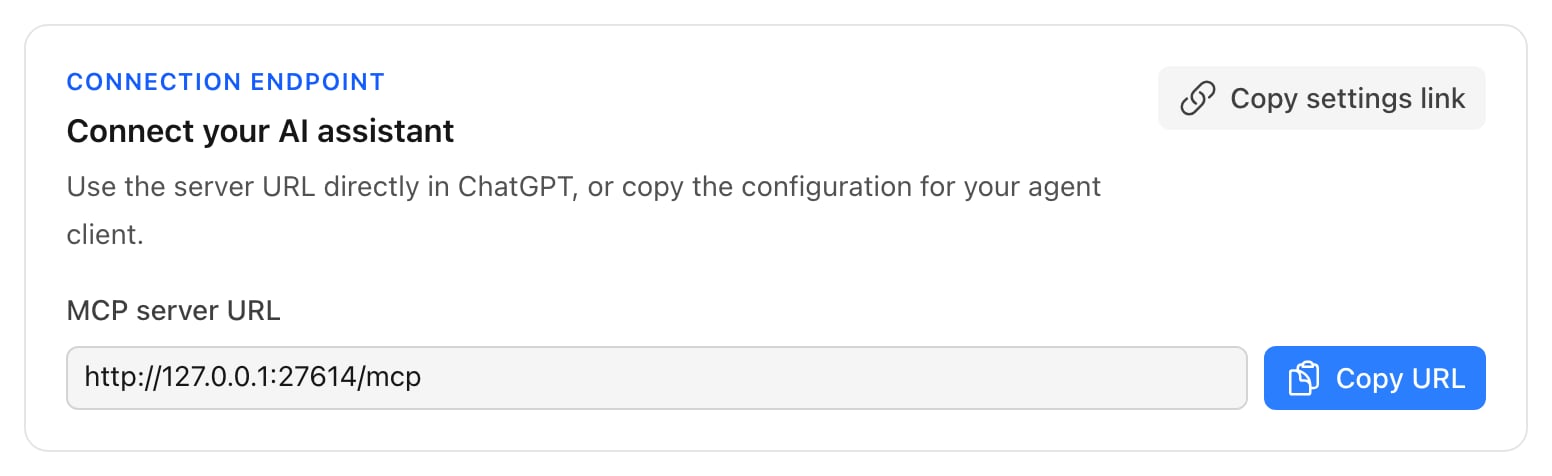
For OpnForm Cloud, usehttps://api.opnform.com/mcp. For a self-hosted instance, copy the endpoint displayed in Settings → MCP & AI agents.
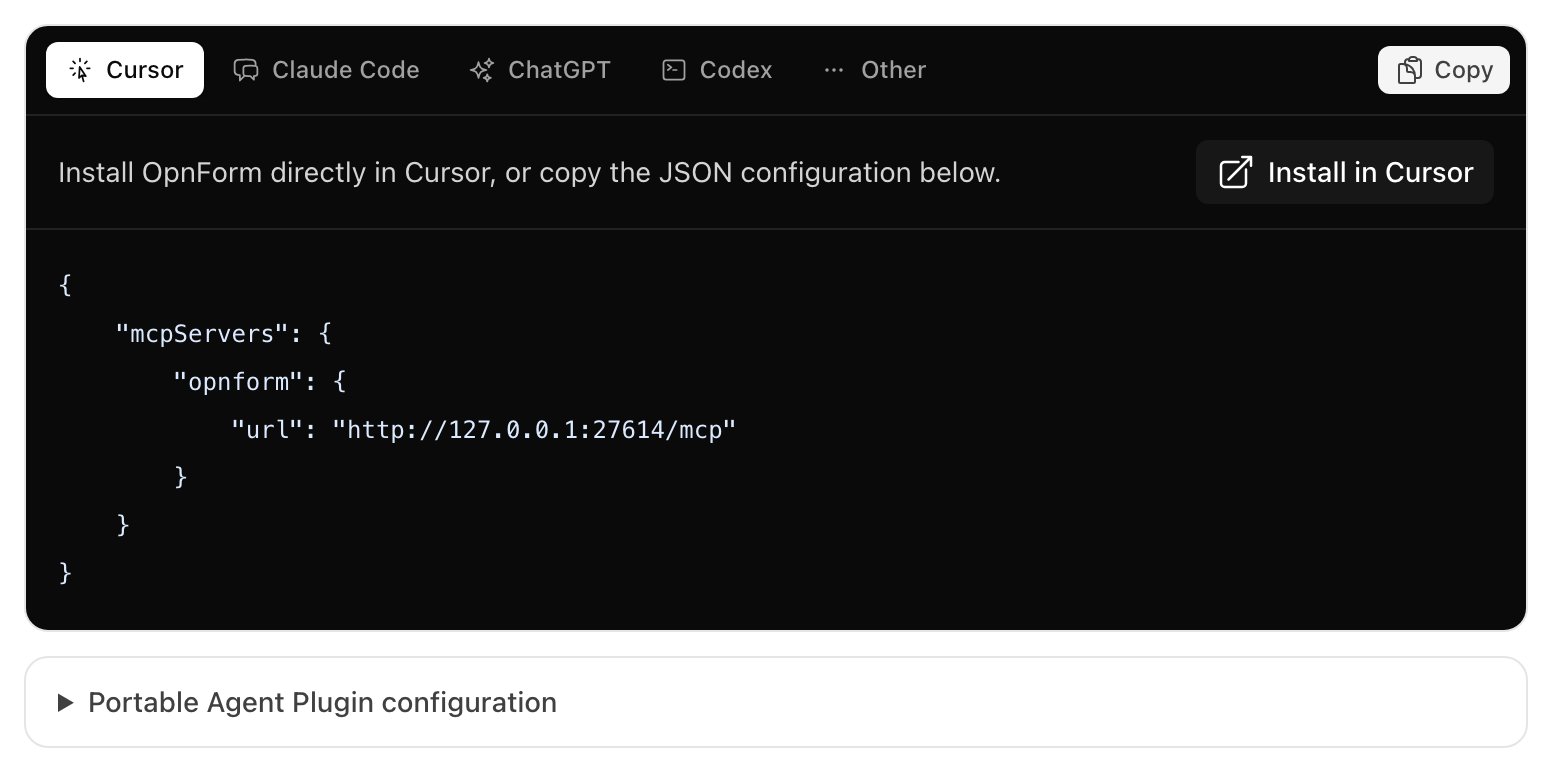
- Cursor
- Claude Code
- ChatGPT
- Codex
- Other clients
Use Install in Cursor for one-click setup, or copy the generated
mcpServers JSON configuration.https://opnform.com with your frontend URL. Supported agent values are cursor, claude_code, chatgpt, codex, and other.
Authenticate your OpnForm account
Form, workspace, and submission tools use OAuth. The MCP client discovers OpnForm’s authorization metadata, opens the OpnForm consent screen, and uses authorization code flow with PKCES256. You never paste an OpnForm password or access token into a conversation.
On OpnForm Cloud, guest form creation and preview remain available before authentication. On self-hosted instances, guest draft creation is unavailable. Schema resources, the field catalog, and validate_form_definition remain available before authentication because they do not read or store account data.
After authenticating a Codex connection, start a new conversation with OpnForm selected so the MCP client loads the stored credential.
DELETE request to /mcp-oauth/session.
Available capabilities
Workspace administration and submission mutations are unavailable. MCP does not expose permanent form deletion, form restoration, submission deletion, or submission restoration.
Normal workspace permissions and plan limits continue to apply. If saving a form disables unavailable premium features, the tool response lists those changes.
Before validating or saving a definition, OpnForm silently normalizes issues it can repair without guessing intent. For example, it removes empty or invalid display-logic blocks, repairs stale logic reference metadata, discards unusable entries from select options, and removes invalid computed variables together with formulas or logic that become invalid as a result. Ambiguous changes still return a precise error path, such as an empty select field, a duplicate field ID, or a malformed form block.
Computed variables and display logic
The versioned form-definition schema and field catalog document computed variables, display-logic actions, condition groups, and the operators available for each reference type. Formula references use technical IDs in braces:property_meta.type to computed:
patch_form_draft, replace the complete computed_variables list through set_form_values, and add or modify a block’s logic through add_block or update_block. The draft is normalized and validated atomically before its version changes.
Self-hosted OAuth configuration
The following settings apply only to self-hosted instances. Configure the callback destinations accepted by your instance:
The consent screen displays the callback destination before approval.
OAuth authorization requests and login tickets use atomic cache locks. If you run multiple application instances, configure Laravel’s default cache as a shared, lock-capable store such as Redis or DynamoDB. File and array cache drivers are suitable only for single-instance development.
Self-hosted rate limits
The default limits are permissive for normal agent use:Privacy and observability
WhenMCP_OBSERVABILITY_ENABLED=true, a self-hosted instance records only the MCP method, tool name, authentication mode, outcome, HTTP status, and duration.
OpnForm does not include request arguments, OAuth tokens, form definitions, submission values, export URLs, user identifiers, or IP addresses in MCP telemetry or structured MCP request logs.
Set MCP_OBSERVABILITY_ENABLED=false to disable MCP usage events and their structured logs. General anonymous instance telemetry remains controlled by OPNFORM_ANONYMOUS_TELEMETRY_DISABLED.
Troubleshooting
The client connects but account tools require authentication
The client connects but account tools require authentication
Complete the OAuth flow from the MCP client. Guest drafts on OpnForm Cloud do not authenticate your account automatically.
OAuth succeeds but the conversation still appears unauthenticated
OAuth succeeds but the conversation still appears unauthenticated
Start a new conversation after authentication. Some clients retain the tool and authentication state that existed when the conversation started.
OAuth returns to the wrong host on a self-hosted instance
OAuth returns to the wrong host on a self-hosted instance
Check the client callback against
MCP_OAUTH_REDIRECT_DOMAINS and MCP_OAUTH_CUSTOM_SCHEMES. Also verify that APP_URL, FRONT_URL, and reverse-proxy forwarding headers reflect the public origins.The client cannot reach a self-hosted MCP server
The client cannot reach a self-hosted MCP server
Confirm that your
/mcp endpoint is reachable from outside your private network, that your reverse proxy allows streamable HTTP responses, and that no firewall or authentication proxy blocks MCP discovery requests.Agent safety behavior
- Fetch the current form revision before updating, publishing, or trashing it.
- Re-fetch and reconcile the form after a revision conflict.
- Ask before publishing or moving a form to the trash.
- Use submission data only when it is necessary for the user’s request.
- Respect validation, workspace permissions, plan cleaning, and rate limits.